Before you start
Download and open the latest version of Routine Desktop.
Sign in to Routine.
Open Settings → Plugins.
Enable the MCP Server plugin.
Select Setup and copy the values required by your MCP client:
Endpoint URL
Bearer token
Authorization header
Routine Desktop must remain running and logged in whenever you use MCP.
The MCP server runs locally on your computer and is only available to clients running on the same computer. Its default endpoint is:
http://127.0.0.1:8765/mcp
Your bearer token is specific to your Routine Desktop installation. Treat both the token and the complete authorization header as secrets. Do not share them publicly or commit them to a repository.
Connection details
Use the values shown in Routine's MCP setup window. The examples below use these placeholders:
YOUR_ENDPOINT_URL: the complete Endpoint URL
YOUR_BEARER_TOKEN: the raw Bearer token, without the Bearer prefix
The complete HTTP authorization header has this format:
Authorization: Bearer YOUR_BEARER_TOKEN
Cursor
Add Routine to Cursor's MCP configuration file.
Configuration file
If the file already contains MCP servers, merge the routine entry into the existing mcpServers object instead of replacing the file.
{
  "mcpServers": {
    "routine": {
      "url": "YOUR_ENDPOINT_URL",
      "headers": {
        "Authorization": "Bearer YOUR_BEARER_TOKEN"
      }
    }
  }
}
Save the file, then reload or restart Cursor.
Claude Code
The recommended setup uses the Claude Code command-line interface and makes Routine available to every project.
claude mcp add --transport http routine --scope user YOUR_ENDPOINT_URL --header "Authorization: Bearer YOUR_BEARER_TOKEN"
Manual configuration
You can alternatively add Routine to Claude Code's user configuration manually.
Configuration file locations
macOS and Linux: ~/.claude.json
Windows: %USERPROFILE%\.claude.json
Custom configuration directory: $CLAUDE_CONFIG_DIR/.claude.json
If the file already contains MCP servers, merge the routine entry into the existing mcpServers object instead of replacing the file.
{
  "mcpServers": {
    "routine": {
      "type": "http",
      "url": "YOUR_ENDPOINT_URL",
      "headers": {
        "Authorization": "Bearer YOUR_BEARER_TOKEN"
      }
    }
  }
}
Reload or restart Claude Code after changing the configuration manually.
Claude Desktop
Claude Desktop's JSON configuration launches local stdio MCP servers rather than connecting directly to authenticated HTTP endpoints. You can bridge Claude Desktop to Routine with mcp-remote, a third-party tool that translates between stdio and Streamable HTTP.
This is a third-party workaround rather than a native Routine or Claude Desktop integration. mcp-remote describes itself as experimental. Review the project before installing or running it.
Requirements
Node.js 18 or later
npx, which is normally included with Node.js
Internet access the first time npx downloads mcp-remote
Routine Desktop running and logged in
You do not need to install mcp-remote globally. The configuration below asks npx to download and run its latest version.
Configure Claude Desktop
In Claude Desktop, open Settings → Developer → Edit Config.
Add the routine entry below to claude_desktop_config.json.
Replace YOUR_ENDPOINT_URL and YOUR_BEARER_TOKEN with the values shown in Routine's MCP setup window.
If the file already contains MCP servers, merge the routine entry into the existing mcpServers object instead of replacing the file.
{
  "mcpServers": {
    "routine": {
      "command": "npx",
      "args": [
        "-y",
        "mcp-remote@latest",
        "YOUR_ENDPOINT_URL",
        "--allow-http",
        "--transport",
        "http-only",
        "--header",
        "Authorization:${ROUTINE_AUTH_HEADER}"
      ],
      "env": {
        "ROUTINE_AUTH_HEADER": "Bearer YOUR_BEARER_TOKEN"
      }
    }
  }
}
The environment-variable form prevents a Claude Desktop issue on Windows that can mangle spaces inside command arguments. --allow-http is required because Routine intentionally serves MCP over plain HTTP on the local loopback interface. The connection does not leave your computer.
Save the configuration.
Completely quit Claude Desktop, then reopen it.
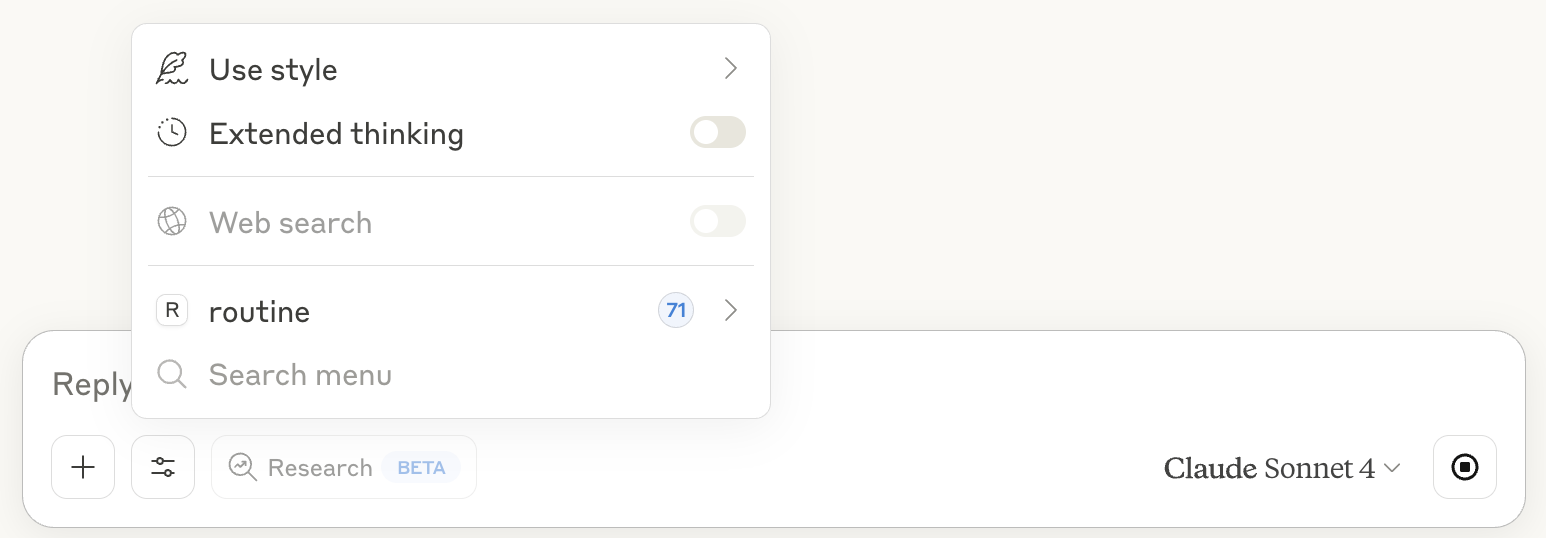
Confirm that routine appears under Settings → Developer or in the tools menu for a new chat.
Claude Desktop configuration file locations
If Claude Desktop cannot find npx, replace "npx" in the command field with the full path to the npx executable.
Codex
Add Routine to the Codex configuration file.
Configuration file
macOS and Linux: ~/.codex/config.toml
Windows: %USERPROFILE%\.codex\config.toml
Custom Codex home: $CODEX_HOME/config.toml
If the file already contains MCP servers, add this section without removing the other configuration.
[mcp_servers.routine]
url = "YOUR_ENDPOINT_URL"
http_headers = { Authorization = "Bearer YOUR_BEARER_TOKEN" }
Save the file, then reload or restart Codex.
Other MCP clients
Routine works with local MCP clients that support:
Streamable HTTP transport
Custom HTTP request headers
Bearer-token authentication
Configure the client with the Endpoint URL and this HTTP header:
Authorization: Bearer YOUR_BEARER_TOKEN
Consult the client's documentation for the exact configuration format and location.
Clients that only support local stdio MCP servers cannot connect directly. If they can launch a command, a bridge such as mcp-remote may translate between stdio and Routine's HTTP endpoint. This requires Node.js and npx; see the Claude Desktop section for an example. Because the bridge executes a third-party package on your computer, review it before use.
Verify the connection
Confirm that Routine's MCP Server plugin shows Ready.
Reload or restart your AI client after changing its MCP configuration.
Confirm that routine appears in the client's list of MCP servers or tools.
Try a request such as:
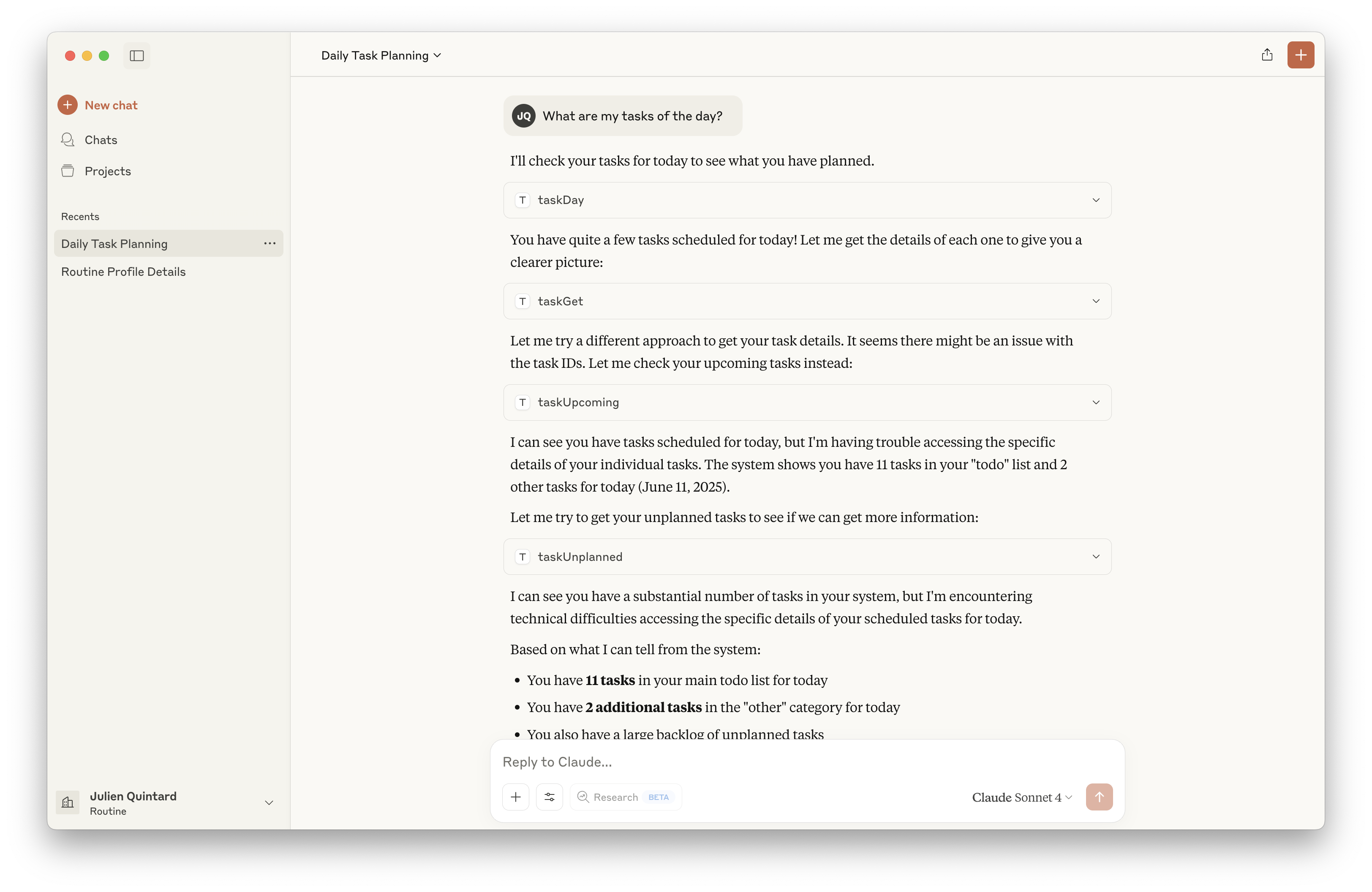
What are my Routine tasks for today?
Try Routine MCP
Once the connection works, try:
“What are my Routine tasks and meetings today?”
“Create a task to prepare the weekly review on Friday.”
“Find my Routine notes about the Acme project.”
“Show my unplanned tasks.”
Troubleshooting
The client cannot connect
Confirm that Routine Desktop is running.
Confirm that you are logged in to Routine.
Confirm that the MCP Server plugin is enabled and shows Ready.
Copy the endpoint again and make sure the client uses the complete URL, including /mcp.
Check the Routine plugin screen for an error. Another application using port 8765 prevents the local MCP server from starting.
The client reports an unauthorized response
Routine returns an unauthorized response when the bearer token is missing or incorrect.
Copy the bearer token or complete authorization header again from Routine.
Confirm that the header name is exactly Authorization.
Confirm that the header value starts with Bearer followed by the token.
Remove accidental quotation marks or whitespace from the copied value.
Routine reports that it is disabled or unavailable
Enable the MCP Server plugin under Settings → Plugins.
Keep Routine running and logged in while the client is connected.
If the status remains unavailable, restart Routine and check the plugin status again.
The client does not support custom HTTP headers
The Routine MCP endpoint requires bearer-token authentication. A client that cannot send a custom Authorization header cannot connect directly to Routine's MCP server.
For stdio-only clients that can launch local commands, mcp-remote may provide a workaround. See the Claude Desktop section above.
Claude Desktop cannot launch npx
Install Node.js 18 or later and completely restart Claude Desktop.
Confirm that npx works from a terminal.
If Claude Desktop still cannot find it, use the full path to the npx executable in the configuration's command field.
Check that mcp-remote@latest was entered correctly and that the computer can access the npm registry.
Security and privacy
The MCP endpoint listens only on 127.0.0.1, so it is not exposed directly to your local network or the internet.
Every request must include your bearer token.
Anyone with access to the token and your computer could use the permissions exposed through Routine's MCP tools.
Do not paste the token into public issues, screenshots, shared documents, or source-controlled files.
Disable the MCP Server plugin when you do not want MCP clients to access Routine.